AI & automation
AI automation
AI agents handle the routine, the team drives growth
Getting started
How to launch an AI agent
- Choose one pilot workflow: customer replies, management reports or staff tasks.
- Collect common questions, sample replies and the data the agent needs. Define when a staff member takes over.
- Connect a test channel and the relevant sources, such as 1C or MoySklad. Verify read access and test operations first.
- Run routine and ambiguous requests. Check reply accuracy, the handoff to a manager and the action log.
Start with one channel and one measurable workflow, then expand permissions and scope.
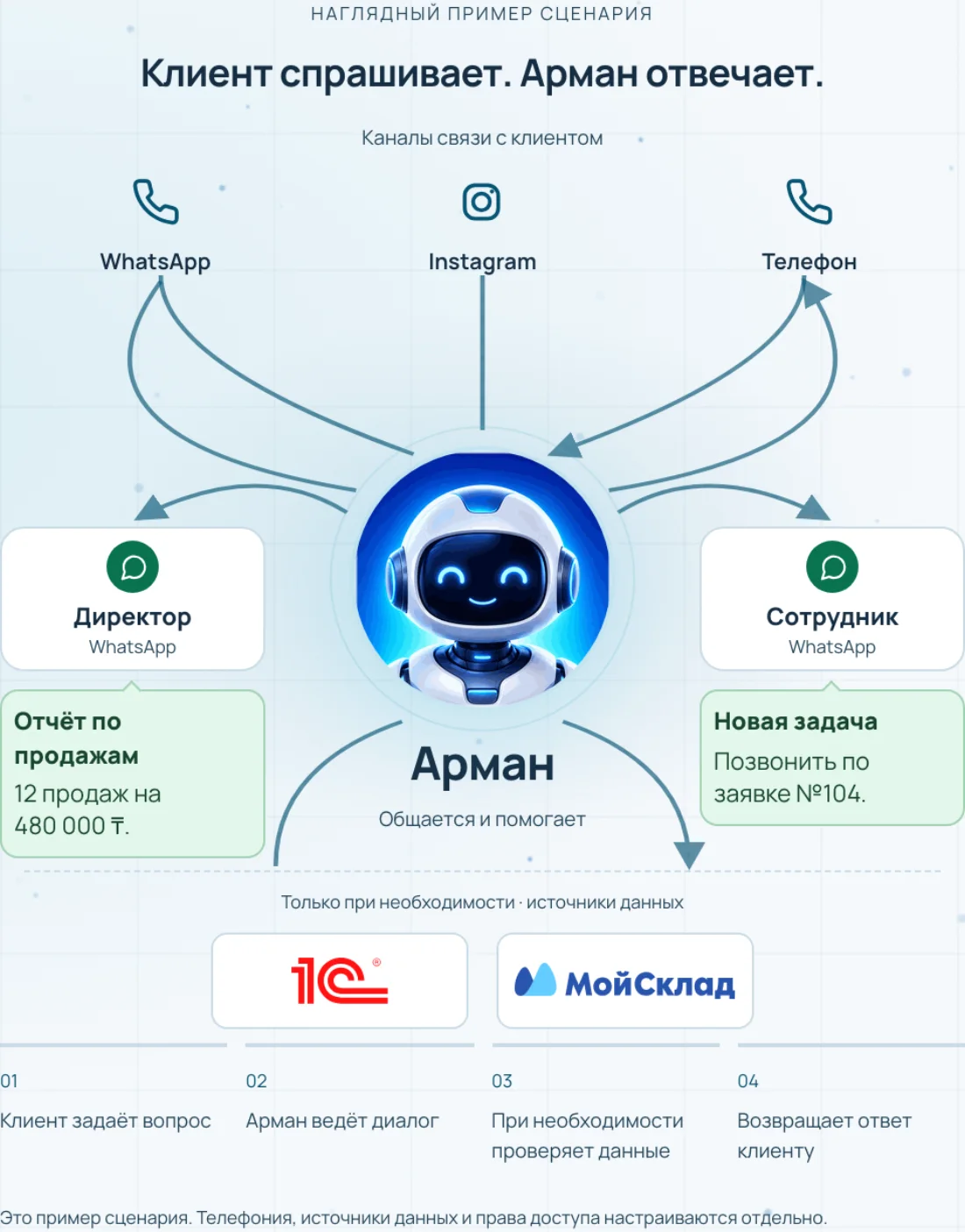
Example workflow
A customer asks for a product recommendation on WhatsApp. The agent clarifies the request, checks the available data and hands off to a manager when terms need approval.
How the system works
- Verified data
- Answer or recommendation
- Human review
Solutions for your business
Website consultant
Define consultation topics and handover to a manager. Test answers, languages, voice and contact capture with customer confirmation.
Employee assistant
Select data sources and access roles. Reports and recommendations should rely on facts; important actions need an accountable reviewer.
What to prepare for implementation
- Agent tasks and access boundaries
- Knowledge sources and quality criteria
What to consider before choosing
AI can make mistakes. Permissions limit CRM access, financial actions and messaging; external models and voice services may have separate costs and licenses.
About the product
We set up AI agents and process automation: client replies, request and document handling, summaries and reports. We connect them to your systems — 1C, MoySklad, CRM and spreadsheets.
AI automation takes the routine off your team: client replies, request and document handling, report building. We start not with “which AI” but with the process — where people spend time on repetitive actions.
We connect agents to your systems — 1C, MoySklad, CRM and spreadsheets — and configure scenarios. As a result clients get instant replies, reports build themselves and the team focuses on growth.
Features
What you get
- Clients get instant replies
- Reports build themselves
- Less routine — more growth
Who it fits
How the rollout works
Audit
We review your processes, current systems and goals — and pin down what to automate and why.
Setup
We deploy the system and configure catalogs, documents, roles and rules for your business.
Integration
We connect it to your systems — accounting, CRM, website and hardware — so data flows between them.
Training
We train your staff, prepare guides and go live without chaos.
Support
We maintain, improve and scale the solution as you grow.
Frequently asked questions
If a task does not fit into one product — you need a systemic approach
Let us discuss 1C, CRM, warehouse, websites, mobile solutions and IT infrastructure. Free consultation — no obligations.